 So Tidy
Blurry & low quality
Out-of-focus, shaky and badly exposed shots, found with Apple's image-quality analysis.
For iPhone · iOS 26 or later
So Tidy finds the blurry shots, look-alikes, screenshots and long videos burying your best moments. You decide what goes, and nothing ever leaves your iPhone.


Sound familiar?
Your camera roll holds thousands of photos: ten tries of every shot, blurry pocket pictures, screenshots you forgot about. Going through them by hand takes a whole weekend. So Tidy does the sorting for you.
What So Tidy finds
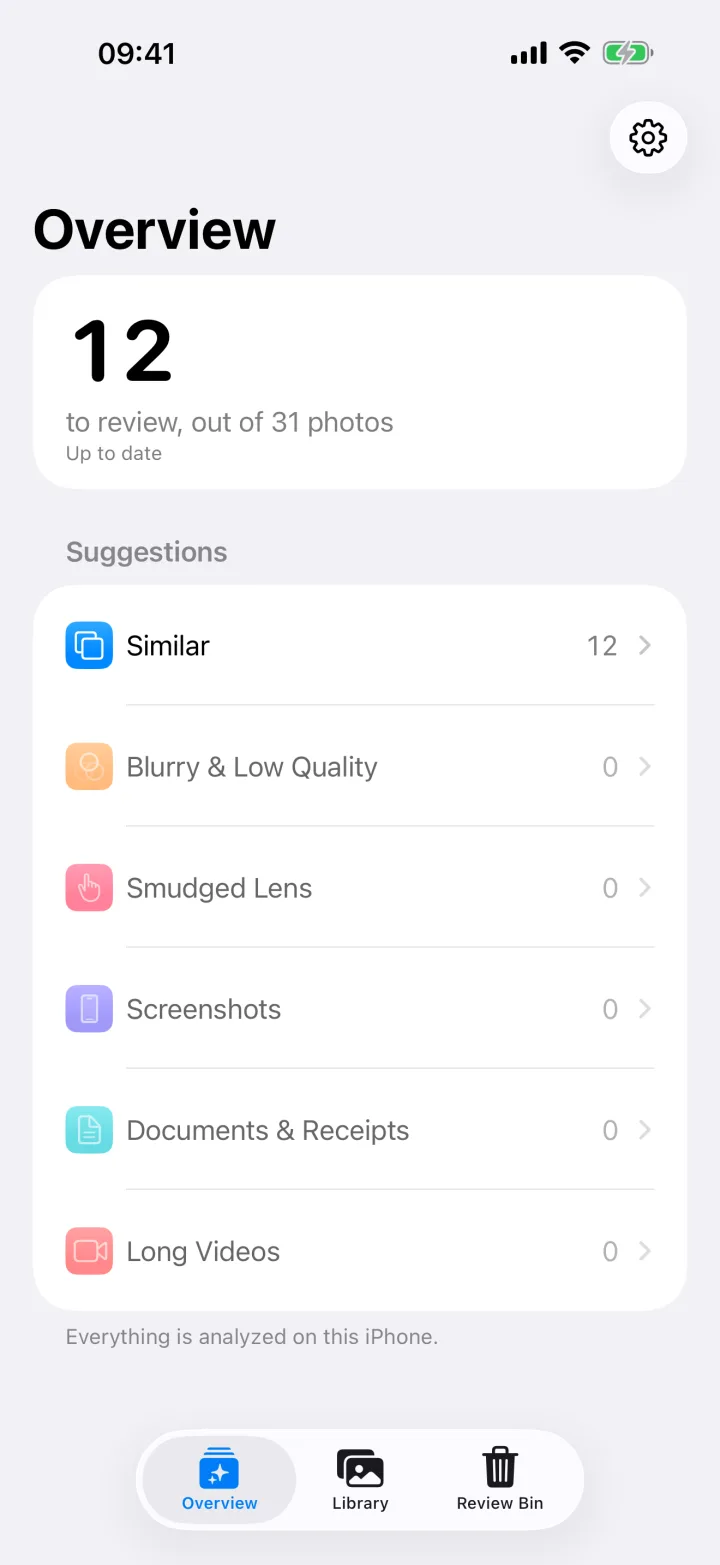
So Tidy looks through your whole library and sorts the clutter into groups, so you can review it all in one place.
Out-of-focus, shaky and badly exposed shots, found with Apple's image-quality analysis.
Near-duplicates and bursts, grouped together, with the best shot picked for you.
Hazy photos taken through a dirty lens, so you can bin them and wipe your camera.
That boarding pass from 2023 and every meme you meant to send once.
Photos of paperwork and receipts that crowd out your real memories.
Videos over a minute, the usual reason your storage is full.

Similar photos
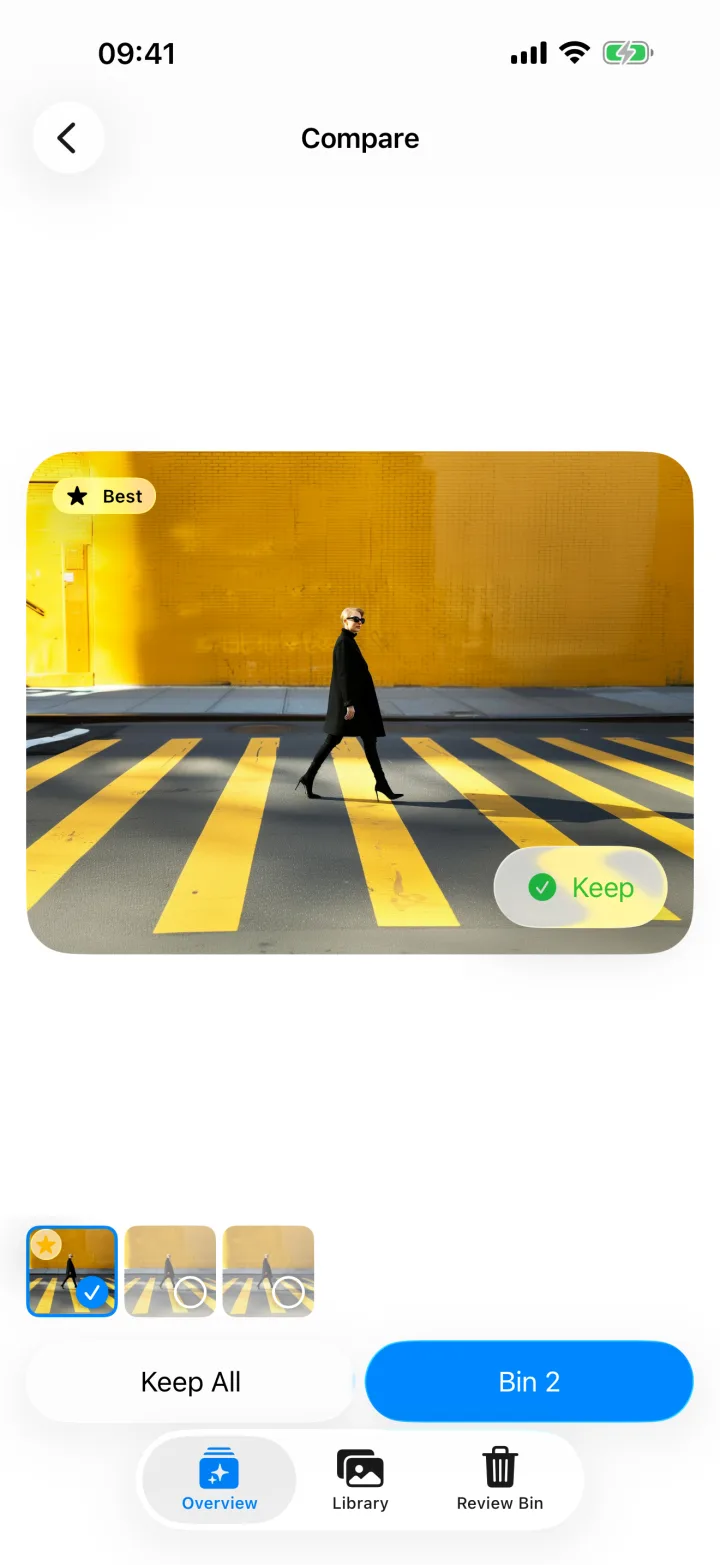
So Tidy groups near-identical shots and bursts, then picks the sharpest as your keeper. Compare them side by side before you decide.
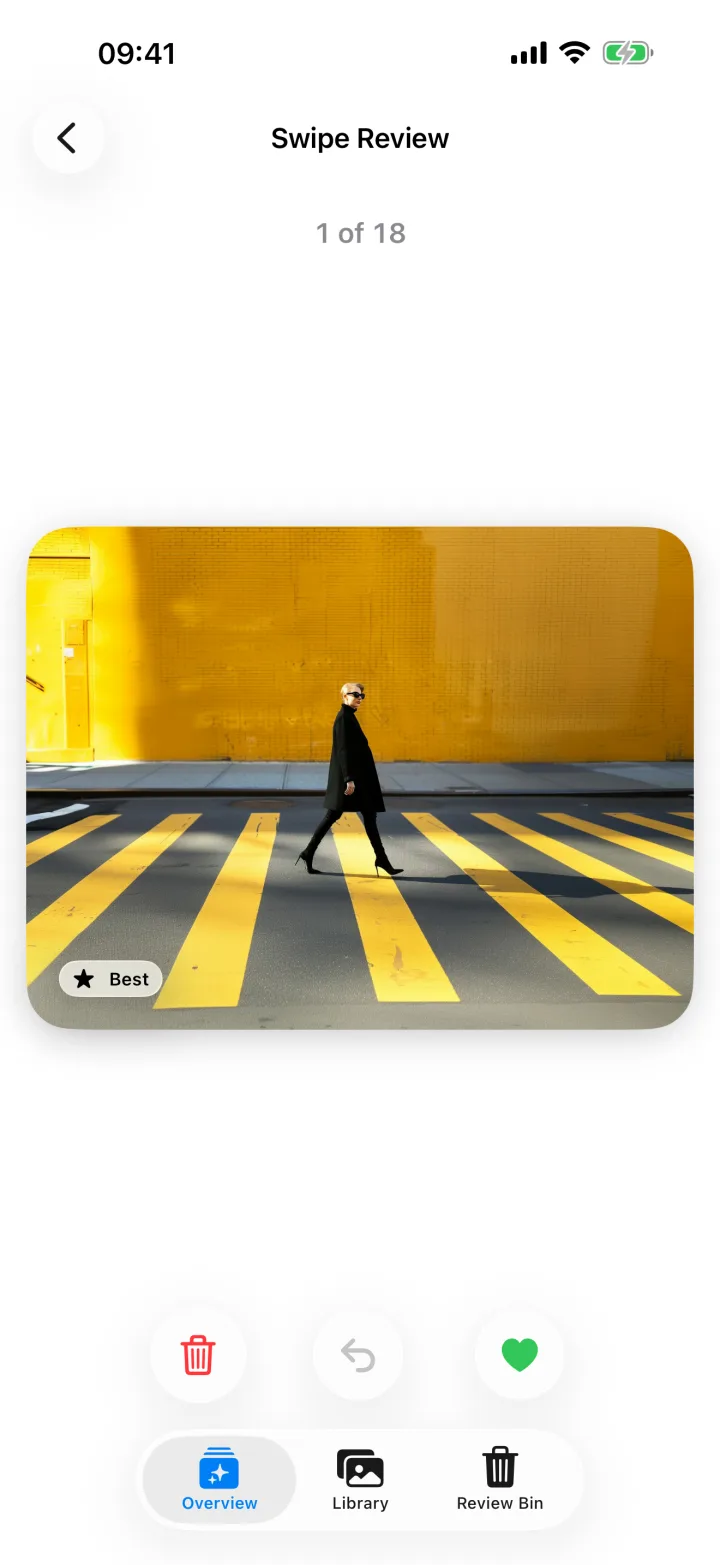
Swipe review
Go through blurry shots, screenshots and receipts one at a time. Keep it, bin it or undo, then move on.
Review Bin
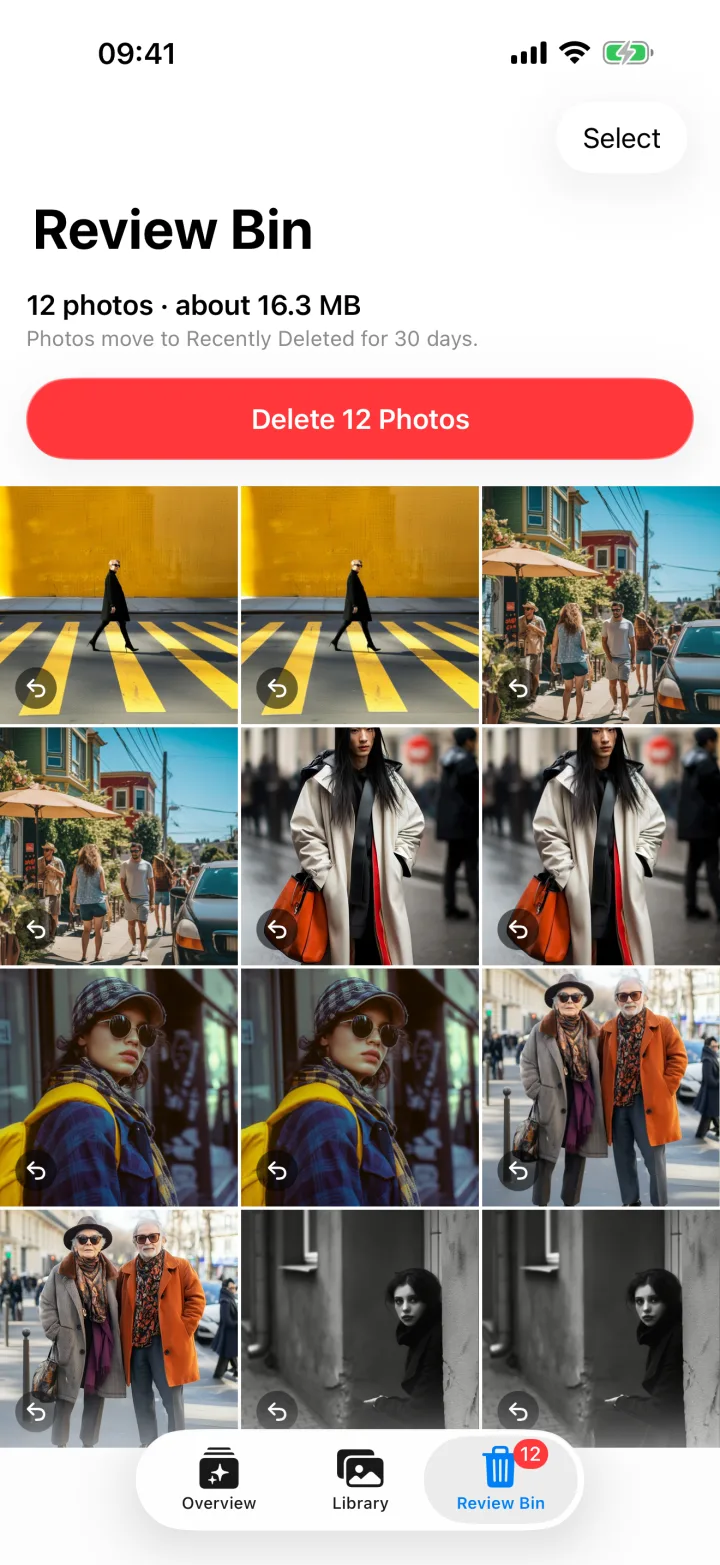
Everything you bin waits in the Review Bin. When you're ready, delete it all with a single iOS confirmation and see roughly how much space you'll free.
Why it's worth it
Every duplicate and forgotten video you keep also takes up iCloud space you pay for. Clear them out and you may fit in a smaller iCloud+ plan. So Tidy costs $4.99, once.
US iCloud+ prices: $0.99, $2.99 and $9.99 a month. Deleted photos stop counting once they leave Recently Deleted.

Your best shots are in there, buried under screenshots, blurry tries and ten copies of the same moment. Clear the clutter and the photos worth keeping rise to the top, ready to share, print or just enjoy.
Private by design
So Tidy runs Apple's Vision framework on your device. There's no server to upload to, no account to create and nothing to track.
The developer does not collect any data from this app.
How it works
No setup, no sign-up. Most of the work happens before you even look.
Open So Tidy and let it see your library. Scanning starts right away, on your iPhone.
Compare similar shots, swipe through blurry ones and keep whatever matters to you.

Delete everything you binned with one confirmation and get your storage back.
Thoughtful details
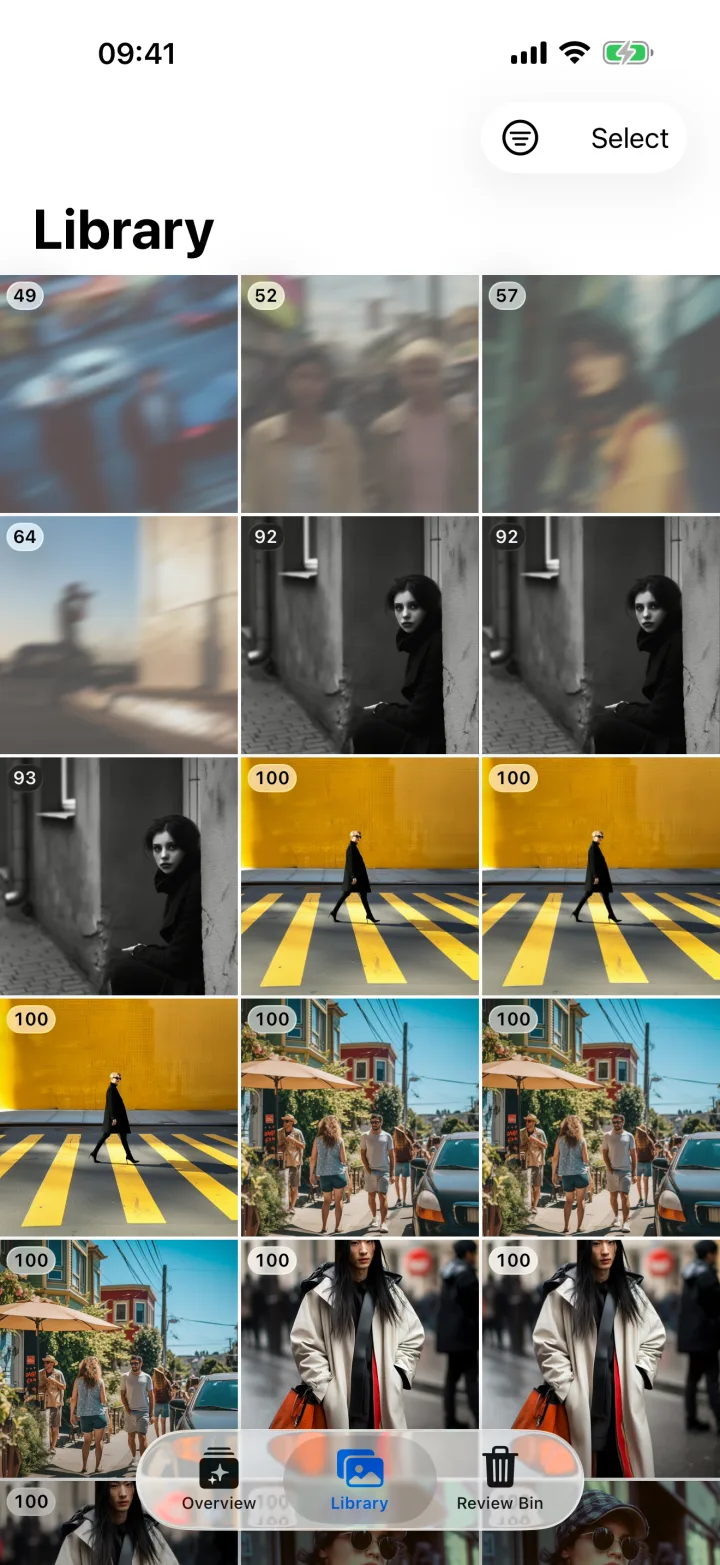
Every photo gets a Keeper Score from 0 to 100, based on Apple's image-aesthetics analysis. Sort by Lowest Score and start where it counts.
Turn on overnight scanning and So Tidy keeps going while your iPhone charges. Later scans only check new photos.
Optionally check full-quality iCloud originals for better results. Downloads happen only on Wi-Fi.

Pricing
Pay once and So Tidy is yours. No weekly fees, no in-app purchases, no ads, no account.

Requires an iPhone with iOS 26 or later.

At a glance
So Tidy is an iPhone app that finds the photos you probably don't want to keep, and lets you delete them safely in one batch.

FAQ
$4.99, once. So Tidy is a one-time purchase on the App Store, with no subscription, no in-app purchases and no ads.
It can. Photos you delete with So Tidy are removed from iCloud Photos too once they leave Recently Deleted, so they stop counting against your storage. With less to store, you may be able to move to a smaller iCloud+ plan.
No. All analysis runs on your iPhone with Apple's Vision framework. So Tidy has no account, no analytics, no tracking and no third-party SDKs, and its App Store privacy label is Data Not Collected. Read the privacy policy.
Yes, for 30 days. So Tidy only deletes the photos you put in the Review Bin, after you confirm. iOS moves them to Recently Deleted in the Photos app, where you can recover them for 30 days.
So Tidy compares a visual fingerprint of each photo with the shots you took around the same time, including bursts. It groups the near-identical ones and suggests the sharpest, best-composed shot as the keeper. You can keep more than one.
No. Photos you have marked as favorites are never flagged, and nothing is deleted without your confirmation.
So Tidy scans while it is open, and it can keep going overnight while your iPhone charges. After the first scan, it only checks new and changed photos.
Any iPhone running iOS 26 or later. So Tidy is made for iPhone, in English and Spanish.

$4.99 once on the App Store. For iPhone with iOS 26 or later.
 Scan with your iPhone camera